
Media Center
sprungmarken_marker_7209
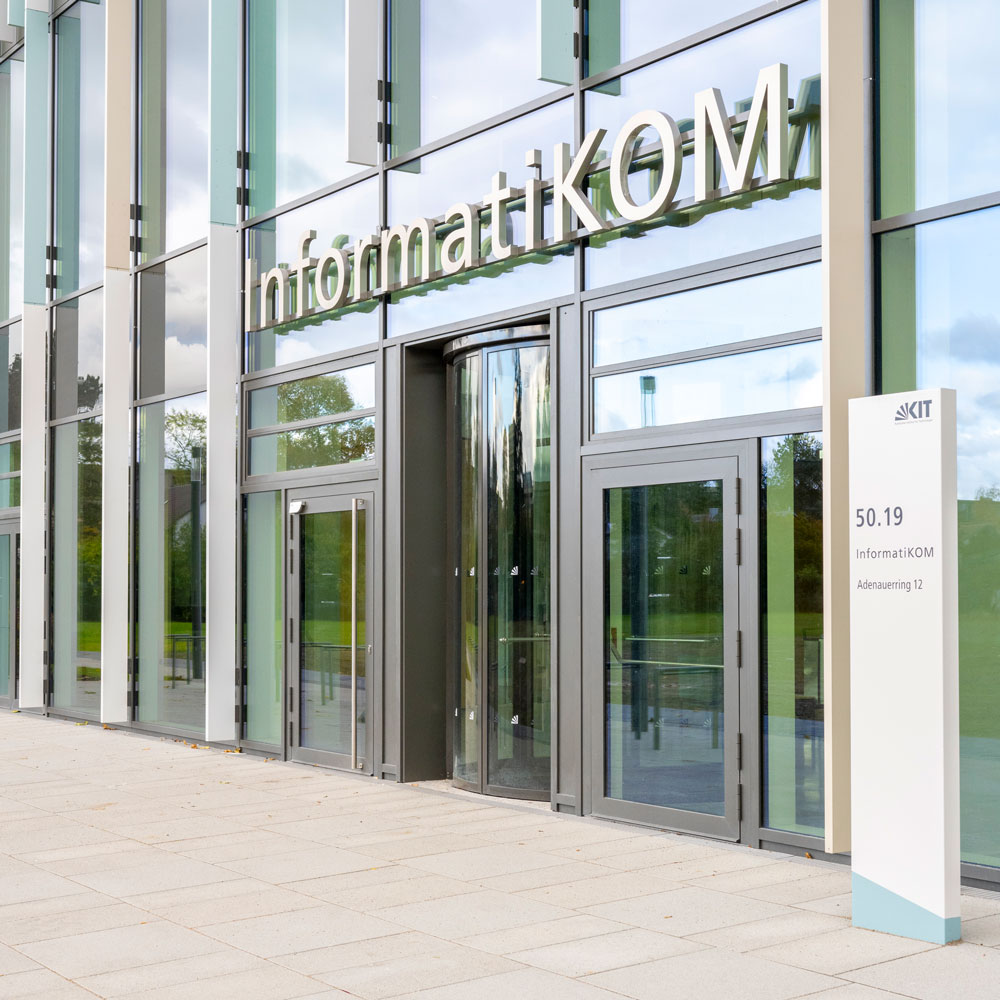
Equipment Rental
The Media Center offers a wide selection of equipment available for loan to KIT students and staff. This equipment supports you in audio and video productions, media editing, and presentations.
Registration
If you would like to borrow equipment from the Media Center, please register by clicking the button below and enter your contact and payment information there.
Registration for Equipment Rental
Rental
To actually borrow equipment, please contact the Media Center team by phone or stop by in person during the Media Center’s opening hours.
Rental Conditions
- Loans are available only to KIT students and staff with a library card
- No commercial use
- The borrower is liable for the equipment
- No insurance coverage for the equipment
Prices and Payment
- Prices are per day of rental (24 hours)
- The day of rental and the day of return count as one day
- Each additional day is charged separately
- Weekends (Sat/Sun) count as one day; Fri–Mon count as two days
- Invoices are mailed; no cash payments accepted
- Net prices; external invoices are subject to VAT
- For internal billing: PSP element, internal order, or cost center required
Equipment list
3D Printing
The Media Center has a 3D printer that can be used to produce objects based on a 3D model provided by the user. This service is available to KIT students and staff for a fee.
The Media Center’s 3D printing service is available to KIT students and staff, subject to availability and for a fee.
The Media Center has two filament (FDM) 3D printers:
- Prusa i3 MK3s - Print size: 21 cm × 25 cm × 21 cm (length × width × height)
- Formbot Vivedino Troodon – Print size: 40 cm × 40 cm × 50 cm (length × width × height)
Various thermoplastics in different colors and with different properties can be printed. A list of the filaments available at the Media Center and their properties can be found below. Please note that the list may quickly become outdated, or that the remaining material on a spool of filament might not be sufficient to print your object. It’s best to check directly with the Media Center. A specific filament or a different color can also be purchased upon request.
Bring your 3D model (ideally an STL file) to the Media Center. The remaining parameters can then be discussed on site.
Please understand that the Media Center does not create 3D models itself: There is no 3D scanner on site, and the Media Center does not have the staff resources to design models for third parties. The Media Center team is always happy to give you tips on how to design the models yourself.
You can also use models from the website https://www.thingiverse.com or adapt them to your needs if necessary. You may even find an object there that suits your needs. Please be sure to observe the applicable licenses and copyrights!
Every beginning is difficult, and that’s true for 3D printing as well. To minimize waste at the start, it’s best to consult with the Media Center team regarding the printability of the model and the material used. Every printer has its own quirks, and the same goes for filament. Even experienced printer owners occasionally have failed prints, which can sometimes take a very long time to complete.
There are now many different thermoplastics that can be processed in a filament printer. As a general rule, the Media Center only prints materials that are neither toxic nor emit harmful fumes during printing. These include PLA-based filaments, PETG, Flex (TPU/TPE), nylon, and PC. Although ABS is an inexpensive thermoplastic, it emits harmful fumes during printing; therefore, we will not print any ABS-based filament at the Media Center. You can also find a brief overview on the Filamentworld website under “Finding the Right Filament.”
PLA (polyactide) is a synthetic polymer that is fairly easy to process and is typically made from cornstarch. This makes it biocompatible and usually (depending on the added dyes or materials) food-safe as well. There are PLA filaments that are mixed with, for example, carbon (for reinforcement), wood, copper, steel, or aluminum particles, which give the print new properties. The downside is that it may break more easily and generally warps at relatively low temperatures (approx. 60°C). There are now also high-temperature PLA filaments that remain dimensionally stable up to about 100°C, but must be “baked” after printing to retain this property. However, we cannot perform this “baking” process in the media center.
PETG (polyethylene terephthalate, or PET for short) is quite well known; it is used in almost all plastic bottles. It is generally food-safe and offers better dimensional stability than PLA (up to about 80°C). It is a very stable and, moreover, cost-effective all-purpose material.
Flex (thermoplastic elastomer, TPE/TPU) comes in various degrees of hardness. It’s very well suited for device feet (e.g., for tripods that shouldn’t damage the floor) or for equipping components with flexible elements (joints). However, very soft TPE is difficult to print with our Multi Filament Upgrade, which could result in scrap under certain circumstances.
The Media Center cannot offer the 3D printing service for free. However, since we want to encourage staff and students to experiment with 3D printing or to print a replacement part or similar item, prices are based on the actual printing costs. These costs consist of the filament costs, the time required, and the electricity costs.
To minimize administrative overhead, the minimum price for a print is currently 5.00 EUR. After the model has been sliced, the Media Center can provide you with a cost estimate before printing.
The fees in detail:
| Cost Factor | Fee |
|---|---|
| Minimum price per print | 5.00 EUR |
| Material costs (depending on the filament) | approx. 25.00 EUR per kilogram |
| Cost per duration (including electricity costs) | approx. 1.00 EUR per hour |
Video Editing Workstations
InformatiKOM provides workstations for students and KIT staff to work on video editing projects. Use of these workstations is free of charge.
Services
The Media Center assists you with recording courses, radio and television programs, post-production of media, and converting older data carriers.
Video formats
- MiniDV/DVCAM (DV/HDV – PAL/SECAM) Recording/Digitalization
- S-VHS
- DVD (without copy protection—please observe copyright laws!)
- Betacam
- All digital output formats, including high-definition formats (codecs: AVI, QuickTime, WMV, MPEG, Shockwave, RealMedia, etc.)
Audio Formats
- Digitalization of audio cassettes, including post-processing (removal of clicks and hiss)
- Professional-quality digitalization of vinyl records, including post-processing (removal of clicks and hiss)
- Minidisc
- DAT
- All digital codecs (MP3, WAV, etc.)
DVD productions
The Media Center can burn and print DVDs and Blu-ray discs from fully edited videos.
Media Center at InformatiKOM I
Contact by phone at +49 721 608-45448 or by email at: medienzentrum∂bibliothek.kit.edu
Easily publish, embed, and showcase digital media formats
Audio + Video
Support for Digital Teaching in Cooperation with ZML.
Lecture Recording
KIT Library offers various types of workspaces and study areas. Here is an overview.
Seatfinder